TV platformsOriginal research
Vega OS vs Fire OS: which Fire TV devices still install Android apps
Fire TV devices now ship with one of two systems. Fire OS is Android underneath; Vega OS is not, and an Android app cannot go on it at all. Here is what Amazon's own pages say, how to tell which one you have, and what played when we tested a player on Amazon's Vega virtual device.
- Tested by
- The CodoPlayer team, who build the apps
- Where
- Amazon's Vega Virtual Device (Vega SDK 2.0) on a Mac, with made-up test media from our lab's test machine, 11 to 22 November 2026
- Not tested
- A retail Vega Fire TV stick
- Last checked
The short version
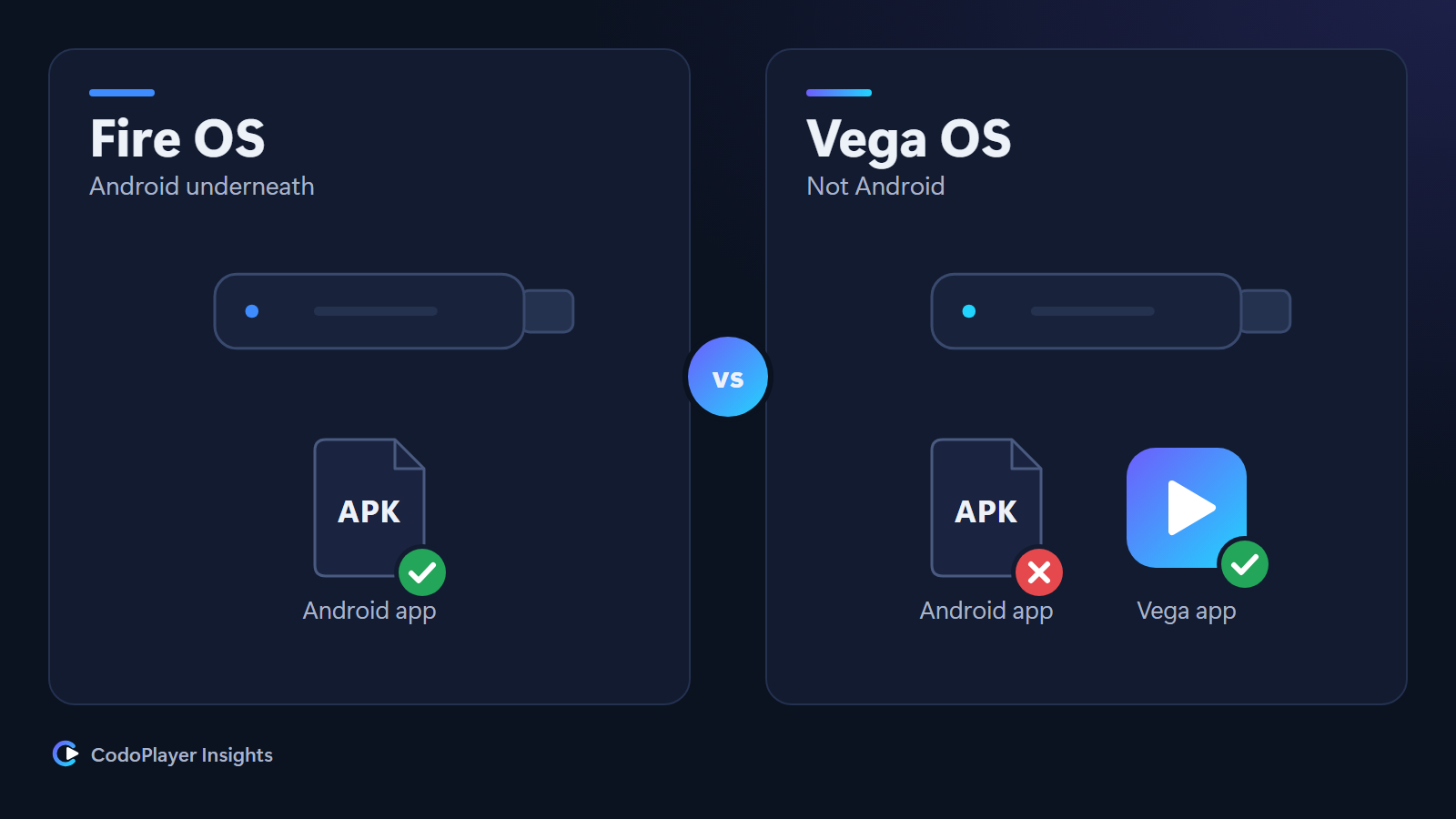
Fire TV devices now come with one of two systems. Fire OS is built on Android, so it runs Android apps, the APK files that most Android TV apps ship as. Vega OS is Amazon's newer system, and it is not Android. Amazon's developer blog says it plainly: "Vega is not Android: no ART runtime, no Activities, no APKs", and "Your Fire OS APK does not run there."
So whether an app can go on your stick now depends first on which system the stick runs. On a Vega OS device, an app is available only if its maker has built a separate Vega version and published it in Amazon's Appstore.
Which Fire TV devices run Vega OS
Amazon's Vega release notes (page last modified 28 October 2026) list the devices that run Vega OS 2.0, with the software build of each:
| Device, as Amazon names it | Vega OS 2.0 build in Amazon's table |
|---|---|
| Fire TV Stick 4K Select | 2602000052920 |
| Fire TV Stick HD | 2602000052920 |
| Fire TV Stick 4K (3rd Gen) | 2502000007420 |
The same notes say that "Vega OS 2.0 has rolled out to all Vega-powered Fire TV devices", and they warn that "in future releases, some devices might not receive the latest OS version."
Two details matter when you read the table. First, the generation counts: Amazon lists the 3rd Gen Fire TV Stick 4K, so read the full model name rather than the words on the front of the box. Second, the notes list a known limit: "On Fire TV Stick HD (2026) running OS 2.0, the HEVC hardware decoder isn't available." HEVC, also called H.265, is the video format that many 4K channels and some HD channels use.
How to check which system your Fire TV runs
- On the Fire TV, open Settings, then My Fire TV, then About.
- Read the device name at the top of the About screen and compare it with the table above.
- Amazon's release notes send owners to the same About screen to confirm which Vega OS build a device has.
Amazon's developer pages describe two systems for Fire TV, Fire OS and Vega OS. A model that is not in Amazon's Vega table is one of the Fire OS models, which run Android apps.
What changes on a Vega OS device
Android apps do not install. Amazon describes Vega OS as "a Linux-based platform where React Native is the primary app framework." An app has to be rebuilt for it; an existing Android app file will not run.
Installing an app from outside the Appstore is a developer feature. On Fire OS, Amazon's developer documentation calls installing an app from outside the Appstore "sideloading", and describes doing it from a computer over adb. On Vega OS, the only route Amazon documents is Developer Mode. Amazon says it "enables you to sideload apps, debug components, and access your Fire TV device", that it needs an "Amazon Developer Account (required for authentication)", and that "you can only sideload non-Amazon packages". It is meant for people building and testing their own apps, and it works the same way on every Vega device.
What this means for CodoPlayer. Our Fire TV app is an Android app, so it runs on Fire OS devices; the Fire TV page and the Fire TV Stick setup guide cover it. CodoPlayer is not in Amazon's Appstore for Vega OS. To find out what a player can do on the new system, we built a test version and ran it on Amazon's Vega Virtual Device. The rest of this article is what we measured.
What played on Amazon's Vega Virtual Device
Amazon's Vega SDK includes the Vega Virtual Device, an emulator that runs on a computer. We ran our test app on it with Vega SDK 2.0 (build 2.0.13986) on a Mac between 11 and 22 November 2026. Every stream and file came from our lab's test machine and was made up for the test. We read the results from the app's own log lines.
| Made-up test media | On the virtual device |
|---|---|
| Live MPEG-TS stream over plain http, H.264 video, AAC audio | Played for the whole 60-second test; playback began within 0.13 seconds on our local lab network |
| The same with HEVC video | Played |
| HLS stream with TS or fMP4 segments, H.264 and AAC | Played |
| MP4, MKV and FLV files with H.264 and AAC; MKV with HEVC; WebM with VP9 and Opus | Played; seeking in an MP4 file worked |
| Sound only in Dolby Digital (AC-3) or Dolby Digital Plus (E-AC-3) | Did not play |
| A live stream carrying AAC next to Dolby Digital Plus | Played |
| Sound in DTS | Did not play |
| Video in AV1 or 10-bit HEVC, and MPEG-2 video with MP2 sound | Did not play |
| Subtitles and extra audio tracks inside an MKV file | Not visible to the app when the platform plays the address directly |
| Playback at 1.5x speed | Worked |
Read the failures with care. Amazon's media documentation, which we read on 11 November 2026, lists AC-3, E-AC-3, AV1, 10-bit HEVC (Main10) and MPEG-2 among the formats Vega OS supports, and DTS for passthrough to a TV or sound system over HDMI. The 2.0 release notes also say that AC-3 inside MPEG-TS plays. The virtual device has no TV or sound system attached and may not decode the way a real stick does. These rows say what the emulator did, not what a retail stick will do.
What else we found that affects apps
- Plain http needs permission. Before the platform's own player will play from a server over plain http, the app has to list that server in its manifest. In our tests, with a server reached by its IP address, allowing every server took a two-entry list,
"*"and"*.*". Either entry alone, or an IP range, still blocked playback, even though the app's ordinary web requests went through. - The player's User-Agent is fixed. When the platform plays an address itself, the app can add headers but cannot choose the User-Agent. Our lab's test machine saw
GStreamer souphttpsrc 1.20.1 libsoup/2.74.2. Some streaming servers check that value. - Self-signed https is refused. A server with a self-signed certificate was rejected, as a browser would reject it.
- Nothing listens on the home network. The app runtime had no TCP or UDP sockets, no local web server, no mDNS discovery and no WebRTC. An outbound WebSocket connection did work, so features such as pairing a phone with the TV need that kind of design.
- No full-text search in the database. SQLite 3.42.0 was present without the FTS4 or FTS5 modules. Inserting 100,000 rows took 2.6 seconds.
- The remote behaved differently. On the virtual device, the colour buttons reached the app as unknown keys, and after the Menu key the app received no more key presses until it was started again.
The limits of this test
- An emulator, not a stick. The virtual device runs an aarch64 build on the Mac, while Amazon's documentation says the sticks take armv7 builds. Decoders, memory and speed differ. We have not tested a retail Vega device.
- Made-up media, local network. Every stream and file came from our lab's test machine, on the same computer. No real channel, playlist or guide was used, and timings on a home network will be longer.
- Device facts are Amazon's. The device list, builds and quotes come from the Amazon pages listed below, on the dates shown. Amazon updates these pages, and we will add a dated note here when a change affects this article.
Sources
- Amazon: Vega SDK and OS release notes (device builds, known issues) (page last modified 28 October 2026)
- Amazon Developer blog: porting a Fire OS TV app to React Native for Vega (published 30 October 2026)
- Amazon: Vega Developer Mode (page last modified 13 October 2026)
- Amazon: Vega media player (supported formats) (read for our lab notes on 11 November 2026)
- Amazon: run Vega apps on the virtual device and on a Fire TV (builds per device) (read for our lab notes on 11 November 2026)
- Amazon: Fire TV, install and run your app (sideloading on Fire OS) (page last modified 29 October 2020)
Our own lab notes and code are not public; every number above comes from them or from the pages listed here. Spotted a mistake? Tell us and we correct it with a dated note.